1. html syntax to use base64 data source


<img src="data:image/jpg;base64,[....base64 code...]">


2. web상에서 간단히 이미지 파일을 base64 바이트 배열 문자열로 변환하는 방법


    1) https://www.base64-image.de/ 로 접속


    2) 다음 단계에서 이미지 파일을 드래그엔드롭
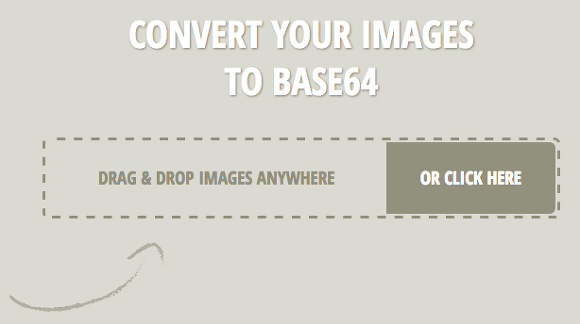
스크린샷_2017-01-03_오후_3.21.34.png


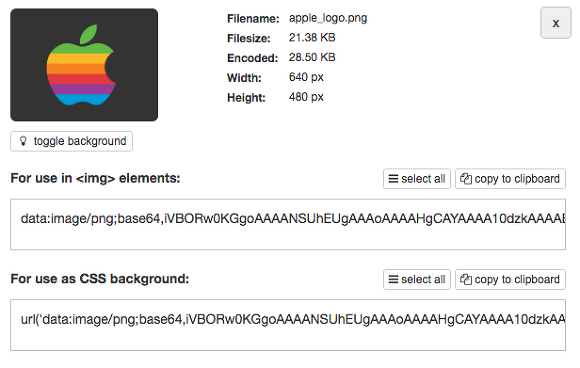
    3) 다음 화면에서 copy image 나 show code 로 결과물을 확인

스크린샷_2017-01-03_오후_3.22.48.png


    4) show code 인 경우 다음과 같은 화면

스크린샷_2017-01-03_오후_3.22.56.png


3. java 프로그램에서 base64 변환 코드


    1) Servlet

public static String getBase64String( String[] imageUrl, String content ) throws Exception{
 
    if( imageUrl.length > 0 )
    {
        int imageUrlLength = imageUrl.length;
        String[] imageString = new String[ imageUrlLength ];
 
        for( int i = 0; i < imageUrlLength; i++ )
        {
            String filePathName = imageUrl[i].replace(“file:///”, “”);
            String fileExtName = filePathName.substring( filePathName.lastIndexOf(“.”) + 1);
 
            FileInputStream inputStream = null;
            ByteArrayOutputStream byteOutStream = null;
 
            try
            {
                File file = new File( filePathName );
 
                if( file.exists() )
                {
                    inputStream = new FileInputStream( file );
                    byteOutStream = new ByteArrayOutputStream();
 
                    int len = 0;
                    byte[] buf = new byte[1024];
                    while( (len = inputStream.read( buf )) != -1 ) {
                        byteOutStream.write(buf, 0, len);
                    }
 
                    byte[] fileArray = byteOutStream.toByteArray();
                    imageString[i] = new String( Base64.encodeBase64( fileArray ) );
 
                    String changeString = “data:image/”+ fileExtName +”;base64, “+ imageString[i];
                    content = content.replace(imageUrl[i], changeString);
                }
            }
            catch( IOException e)
            {
                e.printStackTrace();
            }
            finally
            {
                inputStream.close();
                byteOutStream.close();
            }
        }
    }
 
    return content;
}


    2) JSP

String base64Str = "...base64 code..."

byte[] imageInByte =  Base64.decodeBase64(base64Str);

response.setContentType("image/jpg");

response.setContentLength(imageInByte.length);

response.getOutputStream().write(imageInByte);


* 참고로 image element(<img>)의 src 속성에 base64 바이너리 데이터 스트링을 사용하는 방식은 IE9 이상 브라우저에서 지원한다

   IE8 이하 브라우저에서는 URL 길이 제한으로 인해 브라우저 엔진에서 URL 파싱 에러가 발생하기 때문이다

번호 제목 글쓴이 날짜 조회 수
128 Web Speech API Example (HTML5 STT & TTS) file 황제낙엽 2025.04.14 731
127 모바일과 데스크톱을 포괄하는 사용자의 터치 이벤트(onPointerTap) 황제낙엽 2025.04.09 648
126 Web RTC 에 관하여 황제낙엽 2024.11.20 626
125 div와 span의 차이점 (from Bing) 황제낙엽 2023.06.16 685
124 flexbox (flexible box layout) 황제낙엽 2023.02.27 641
123 characters from ISO 8859-1 황제낙엽 2020.11.10 36946
122 HTML FRAMESET 태그 예제 황제낙엽 2020.11.06 718
121 스마트 기기에서 여러 단말기의 해상도에 대응하기 위해 사용하는 HTML viewport meta tag 황제낙엽 2020.11.06 644
120 네이버의 무료 나눔 글꼴 황제낙엽 2020.05.06 1762
119 서버의 이미지나 txt 파일을 웹브라우저에서 다운로드하기 황제낙엽 2019.05.13 867
118 When to encode space to plus (+) or %20? (application/x-www-form-urlencoded) 황제낙엽 2019.04.15 917
117 HTTP/2 소개 황제낙엽 2018.10.12 693
116 글자, 문자, 텍스트, 글꼴, 서체, 폰트와 관련한 속성들 / font-size , 크기 단위(em, px, pt, rem), 절대 단위, 상대 단위 황제낙엽 2018.04.18 842
115 Pragma와 Cache-Control 황제낙엽 2018.03.28 845
114 로드밸런싱(L4)+아파치를 운영시 etag제거로 캐시 성능 최적화 file 황제낙엽 2018.03.28 944
113 HTTP 요청 헤더 III - If-Match, If-Modified-Since, If-None-Match file 황제낙엽 2018.03.27 726
112 재미난 로그인 페이지 만들기 file 황제낙엽 2018.03.26 1592
111 HTTP Cache-Control 요청 지시어 황제낙엽 2018.03.09 713
110 내 웹사이트의 속도를 빠르게! file 황제낙엽 2018.03.07 860
109 성능을 위한 초간단 HTTP 304 Not Modified 구현 방법 file 황제낙엽 2018.03.07 816