
| sitelink4 | http://1 |
|---|---|
| extra_vars4 | ko |
| extra_vars5 | http://techbug.tistory.com/108 |
| extra_vars6 | sitelink1 |
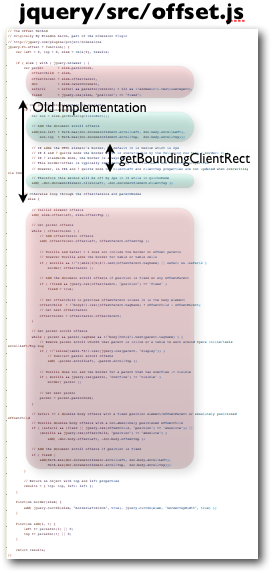
IE5에서 첫선을 보인 객체.getBoundingClientRect는 객체의 offset의 top, left,width,height를 반환하는 멋진놈이다.
일반적으로 gecko 엔진을 사용하는 FF2에서는 getBoxObjectFor(객체)를 사용했으나
FF3에서는 getBoundingClientRect도 지원한다.
FF3가 출시되자 마자 기존 스크립트들을 많이 바꾸고 있는데 이중에 getBoundingClientRect가 포함되었다.
드디어 FF도 IE의 손을 들어준것인가? IE8에서는 얼마만큼 오픈소스진영의 손을 들어줄것인지 귀추가 주목된다.
데꾸벅이 사용하는 객체의 offset left,top,width, height반환하는 함수
/*** tag 객체의 위치값 및 너비/높이값을 반환한다.* @param {objId} DOM객체 : document.getElementById()* @return {ret} left,top,width,height 를 반환한다.* @author 데꾸벅*/function getBoundsObject(objId){var techbug = new Object();var tag = document.getElementById(objId);if(tag !=null && tag != undefined ){if(tag.getBoundingClientRect){ //IE, FF3var rect = tag.getBoundingClientRect();techbug.left = rect.left + (document.documentElement.scrollLeft || document.body.scrollLeft);techbug.top = rect.top + (document.documentElement.scrollTop || document.body.scrollTop);techbug.width = rect.right - rect.left;techbug.height = rect.bottom - rect.top +1; // +1 = Moz와 맞춤} else if (document.getBoxObjectFor) { // gecko 엔진 기반 FF3제외var box = document.getBoxObjectFor(tag);techbug.left = box.x;techbug.top = box.y;techbug.width = box.width;techbug.height = box.height;}else {techbug.left = tag.offsetLeft;techbug.top = tag.offsetTop;techbug.width = tag.offsetWidth;techbug.height = tag.offsetHeight + 3; // +1 = Moz와 맞춤var parent = tag.offsetParent;if (parent != tag) {while (parent) {techbug.left += parent.offsetLeft;techbug.top += parent.offsetTop;parent = parent.offsetParent;}}// 오페라와 사파리의 'absolute' postion의 경우 body의 offsetTop을 잘못 계산 보정var ua = navigator.userAgent.toLowerCase();if (ua.indexOf('opera') != -1 || ( ua.indexOf('safari') != -1 && getStyle(tag, 'position') == 'absolute' )) {techbug.top -= document.body.offsetTop;}}return techbug;}}
