
SourceSafe provides an Archive utility, with which we can periodically backup our VSS Database or projects and transport files/projects between SourceSafe databases. SourceSafe also provides a Restore tool which allows us to restore the data from an archive.
- How to archive SourceSafe database
- How to restore SourceSafe database
To archive a SourceSafe database:
1. First, make sure no one is using the database we are going to archive or the Analyze utility will not run during the process of archive.
2. Open the database in SourceSafe Administrator and start the Archive Wizard through menu Archive -> Archive Projects.
3. Choose the project to archive from the project list.
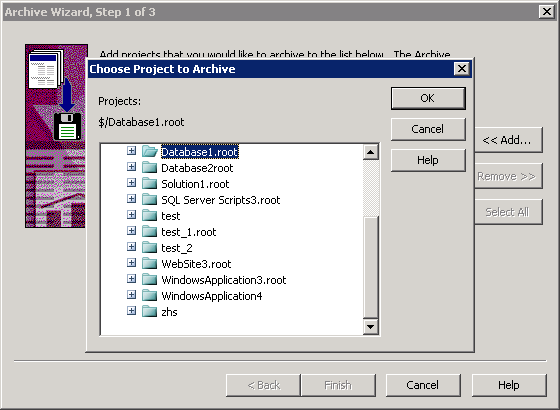
(Choose project to archive)
4. Click Add to add more projects we would like to archive and then click Next.
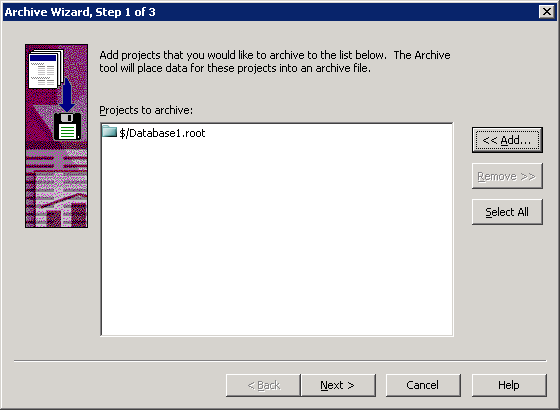
(Add projects you would like to archive)
5. Specify a name for the archive file.
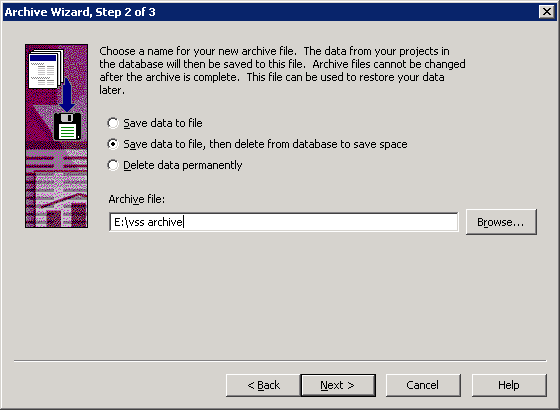
(Specify name for the archive file)
6. Specify the version range of the project to archive. We may choose to archive all of the data or archive the data older than a specific version.
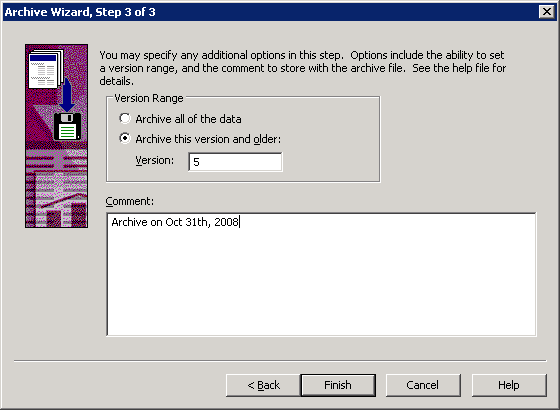
(Specify the version range to archive)
7. Click Finish and SourceSafe will archive the projects to an .ssa file.
To restore the projects from an archive file:
1. Start the Restore Wizard through SourceSafe Administrator menu Archive ->Restore Projects.
2. Select the archive file that contains the projects we would like to restore.
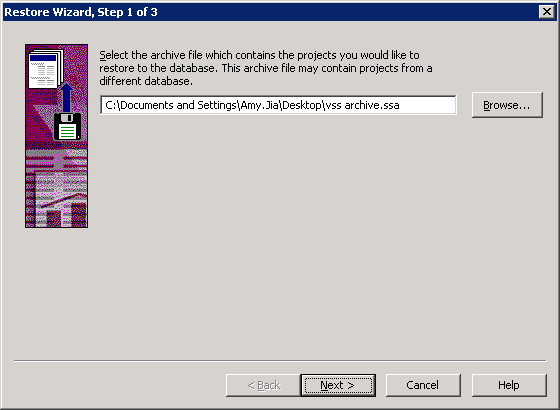
(Select archive file)
3. Select the projects we want to restore to the database. We can check the Display subproject option to see all the subprojects.
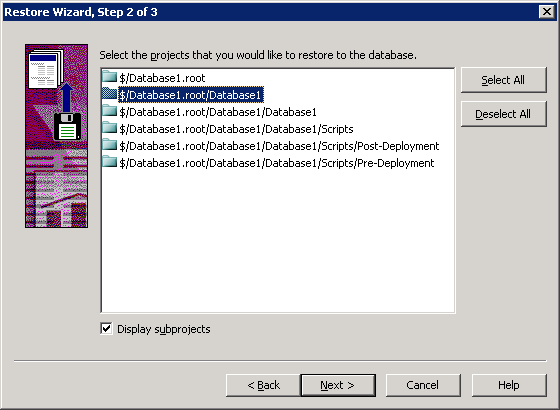
(Select projects to restore)
4. Specify the destination to restore the project. We may restore the project to where it was archived from or to a different location.
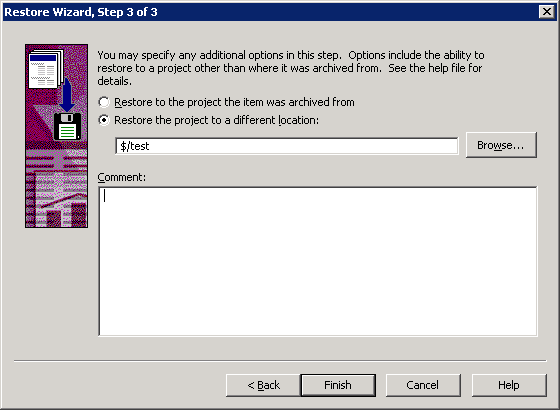
(Select restore destination)
5. After the restore operation is finish, we may log in SourceSafe to check if the projects we want have been properly restored.
Note: If we want to restore a complete backup of a VSS DB, it is recommended that we restore the backup to a new VSS database rather than an existing database.
